Hacking Netflix
Not actual hacking, just lessons in networking
I know just enough about networking to be able to accidentally break things, though if I flail around enough, sometimes it actually works.
Pi-hole
I originally asked for a Raspberry Pi Zero for Christmas one year because I had learned about Pi-hole. This is a DNS server (an address book for the Internet) that conveniently forgets the addresses of ad servers. So, when a website or app on my network tried to load an ad, it asked my local Pi-hole instance where to get it, to which the response was “I don’t know.”* This taught me about what DNS is, how to set a static IP address for the Pi, and the process of running such a service on it. This setup worked well for the most part, except when the Raspberry Pi was offline for whatever reason.
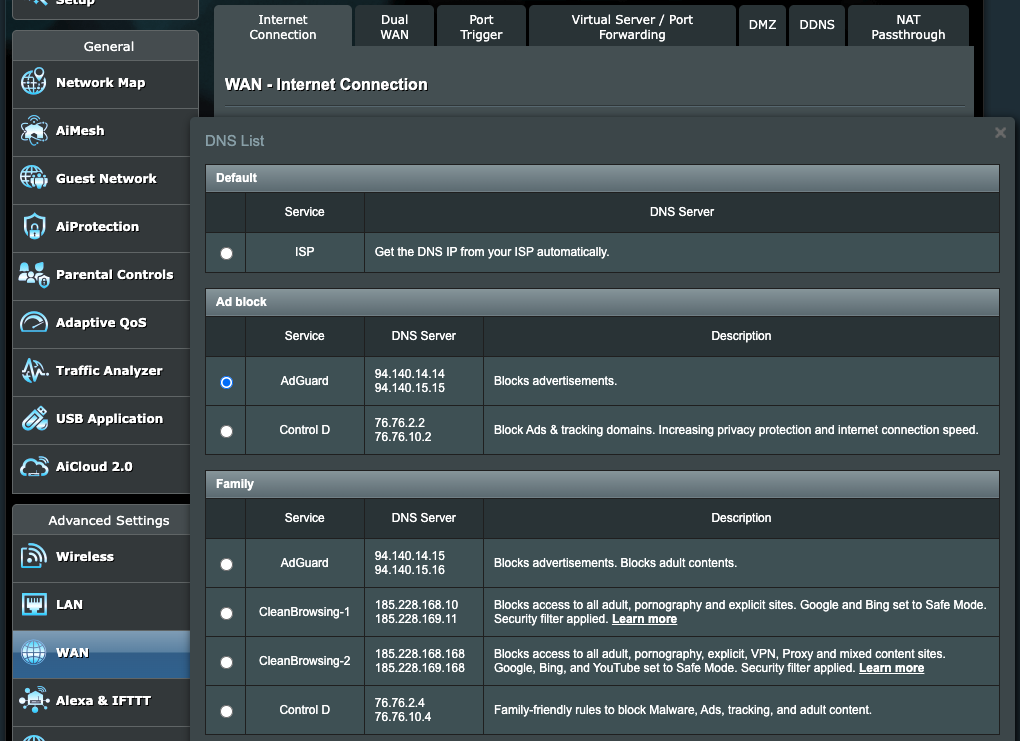
At some point, I learned about publicly available ad-blocking DNS services like AdGuard, which work in the same manner. On my ASUS router, they can be directly selected in the DNS settings as seen below (in WAN -> WAN DNS Setting -> Assign). If that’s not listed, most routers should also allow for manually setting the DNS server, which is 94.140.14.14 and 94.140.15.15 for AdGuard. Making this switch simplified my ad-blocking experience, giving up the control, customization, and occasional frustration of Pi-hole for ease of use.
Port Forwarding
People who have run game servers already know all about this, but often in the firewall section of your router, there is the ability to open/forward ports. For instance, I’ve sometimes set up devices like Jetson Nanos at home for work. It’s easy enough to SSH in locally, but sometimes a coworker also needed access, so I would set up my router to forward port 22 (the default SSH port) to the device.* Then I could give my coworker my current public IP address, and they would be able to log into the machine. This isn’t particularly secure, though, so it requires trusting that the coworker wouldn’t go poking around elsewhere on my network. It also exposes you somewhat to bad actors on the Internet who are sniffing around for this kind of stuff, especially if you use the default values for the ports. So, I was always sure to close the port after my coworker was done.
VPNs
For a couple years, it seemed like every channel on YouTube was hawking VPNs, usually with some kind of fear-based tactic like “Your ISP knows which websites you visit, and your data isn’t safe.” While the former is true, if you use a VPN, then it’s the VPN provider that knows the websites you visit, so it’s a game of who you trust less in that regard. For the data itself, things like HTTPS have made it much harder for others to snoop, since the data being shared between you and the websites you visit is encrypted along the way. There are some practical reasons to use one of these services, though, like accessing geo-restricted content, trying to avoid (or take advantage of) price discrimination for things like flights and hotels, or avoiding throttling or an untrustworthy ISP or government.
I’ve never signed up for a commercial VPN service, though I do use VPNs for work in order to do things like access internal websites when I’m not in the office or to SSH into hardware that I’m working on. Likewise, it may be useful to have a VPN running on your home network. This is more secure than opening up ports, and it gives you access to things like media or file servers that you may be running, so that you can still use them from a hotel room, for instance. I’ve also just started setting up Home Assistant, and a VPN lets me access it without having to use a cloud services subscription.
My original reason for getting interested in a personal VPN, though, had to do with family. Starting with Netflix in 2023, the video streaming companies started clamping down on account sharing, which meant that my in-laws would no longer be able to use our account. Netflix does this by checking users’ IP addresses. If the same account is logged in from multiple addresses, one of those might need to be restricted. (Likewise, Netflix keeps track of the IP addresses of commercial VPN providers in order to block attempts at getting around geo-restrictions.) However, if my mother-in-law logs into Netflix from her house while connected to our VPN, then Netflix doesn’t know the difference. Since devices only have to “check in” at home occasionally, she doesn’t even have to use the VPN every time.
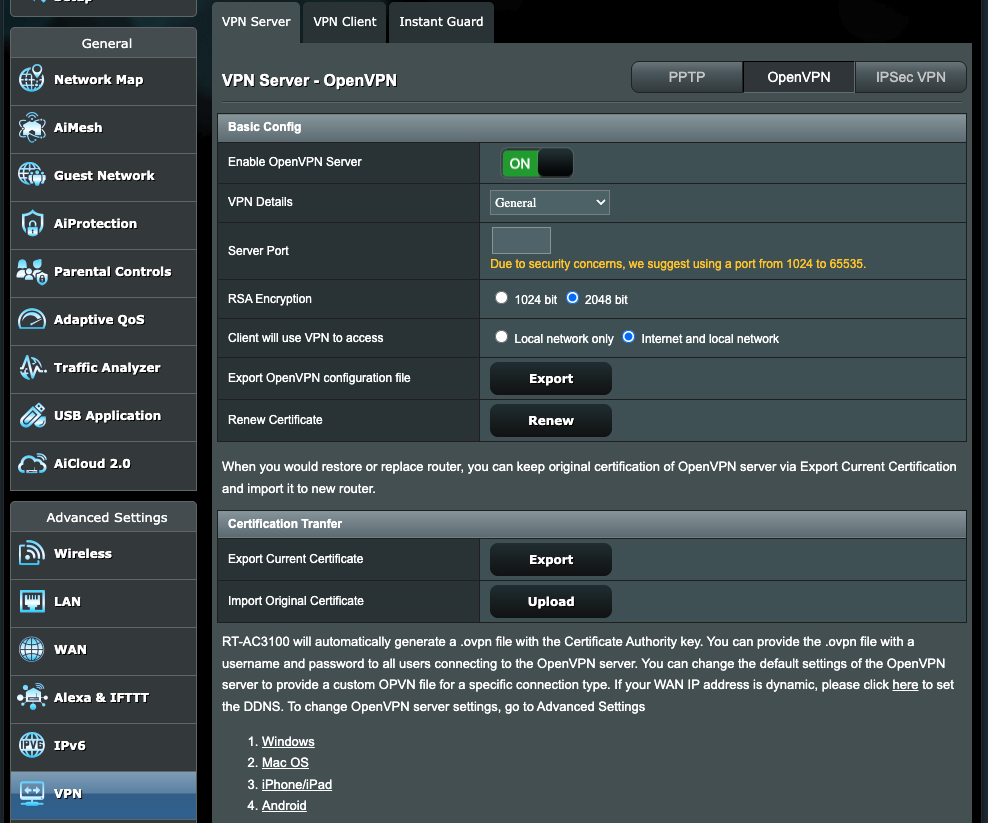
To get this set up, I originally though about using the Raspberry Pi. There was an easy tool called PiVPN for doing so*, but as it turns out, my router again offers an even easier way. I could simply enable OpenVPN, create a login, export the configuration file, and share that along with details of how to use it.
DDNS
So, this was great. Netflix can still be shared, and my in-laws are happy. However, every once in a while, my IP address changed, and after being told that the VPN was broken again, I’d have to look up and share the new address, which could only be done at home (and not while visiting them). To solve this, it might be possible to pay my ISP to assign me a static IP address, but that’s no fun. So at first, I thought about writing a little script on the Pi that would check my address and automatically send an email if it changed. Setting up Home Assistant, I thought about creating an automation that would do the same. But then I learned a bit about Dynamic DDNS. DDNS is a way to automatically update DNS records, so whenever an IP address changes, a given domain is still pointed to the correct location. There are free services out there like Duck DNS and No-IP which will point a given subdomain to an IP address of your choice, and you can set up scripts to always keep that up to date.
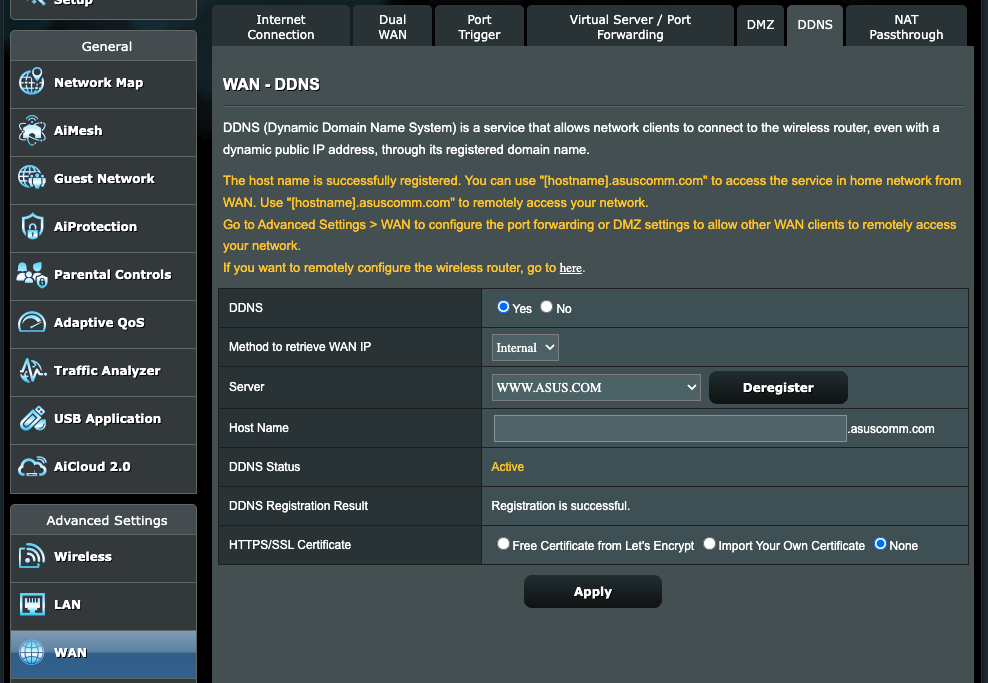
Yet again, though, my router already has me covered and can do the updates itself. So, after fussing about with a bug in the firmware, I was able to get things set up such that a certain domain will always point at my network, regardless of whether my IP address changes. In the configuration file for OpenVPN, then, rather than pointing at a specific IP address, it points at this domain, which the DDNS service points at my current address. Thus, I shouldn’t have to worry about making any manual updates going forward. Everybody wins. Now if only we could get access to my sister-in-law’s Disney+…
PS: Apparently NordVPN has a free service called Meshnet that you can also use to share Netflix without knowing the trouble I’ve seen. It was almost shut down late last year but is still freely available for now.